 01 · Plan
Start with your site
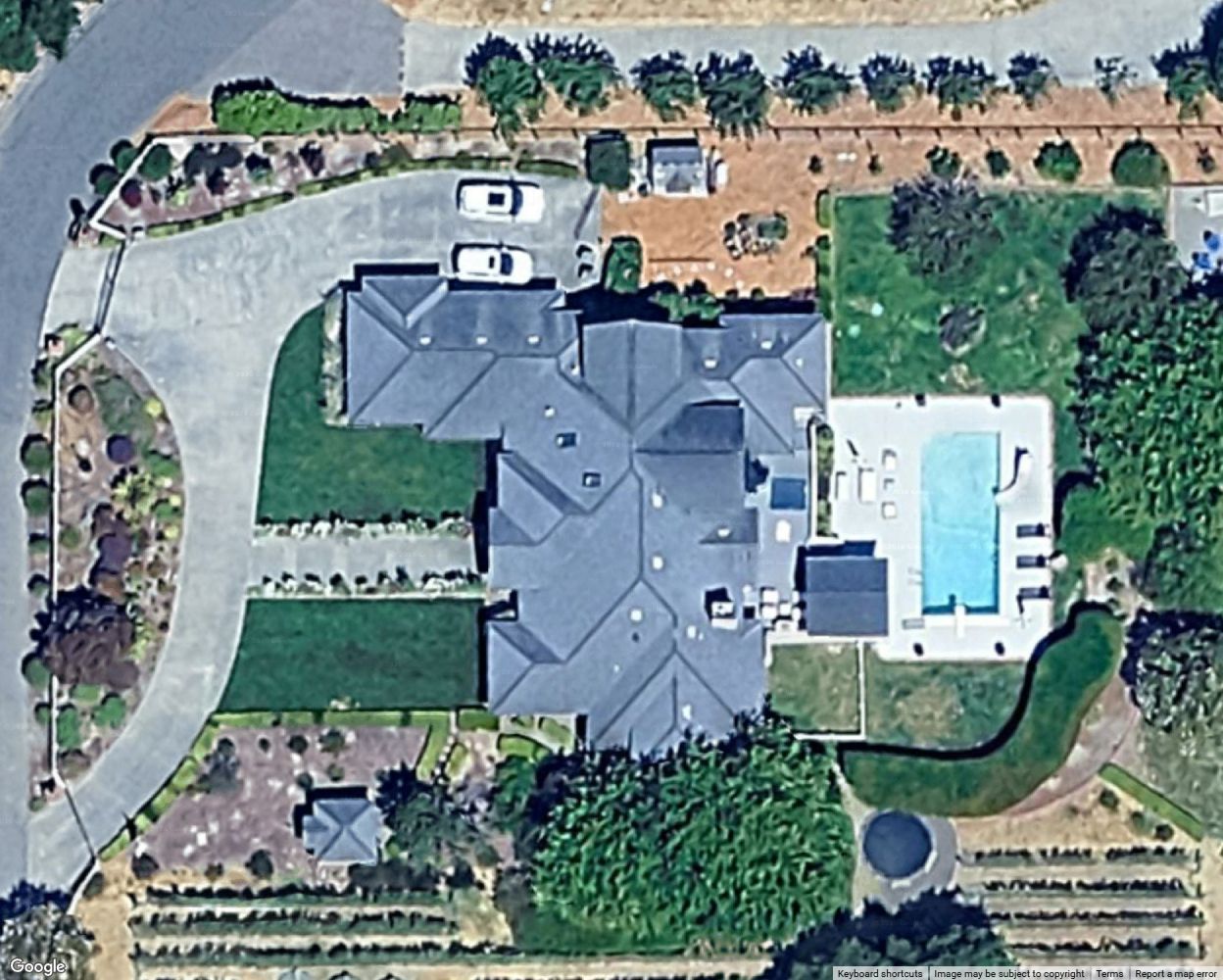
Search an address, find the house and mark its entry points. Start with a clear view of the property and the areas you want to cover.

CAMERA PLANNING, MADE CLEAR
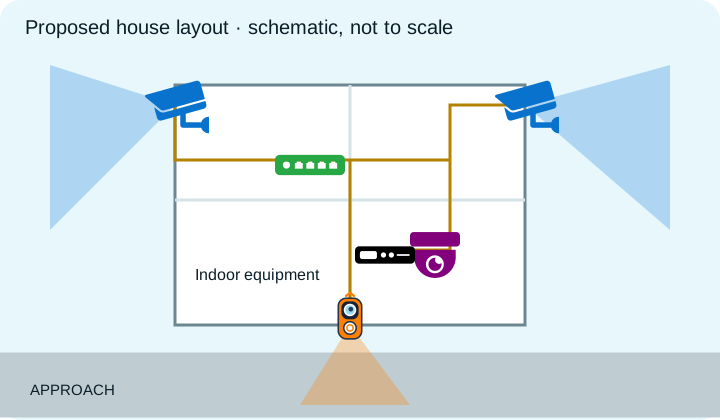
Place security cameras, doorbells, access points, NVRs, network switches and more on a map. Explore coverage, plan connections, and share branded designs with your clients and installation team.
Try the map without an account. Sign in to save projects and export PDFs. Free plan: up to 6 devices.

FROM IDEA TO INSTALLATION PLAN
01 · PlanSearch an address, find the house and mark its entry points. Start with a clear view of the property and the areas you want to cover.
 02 · Place
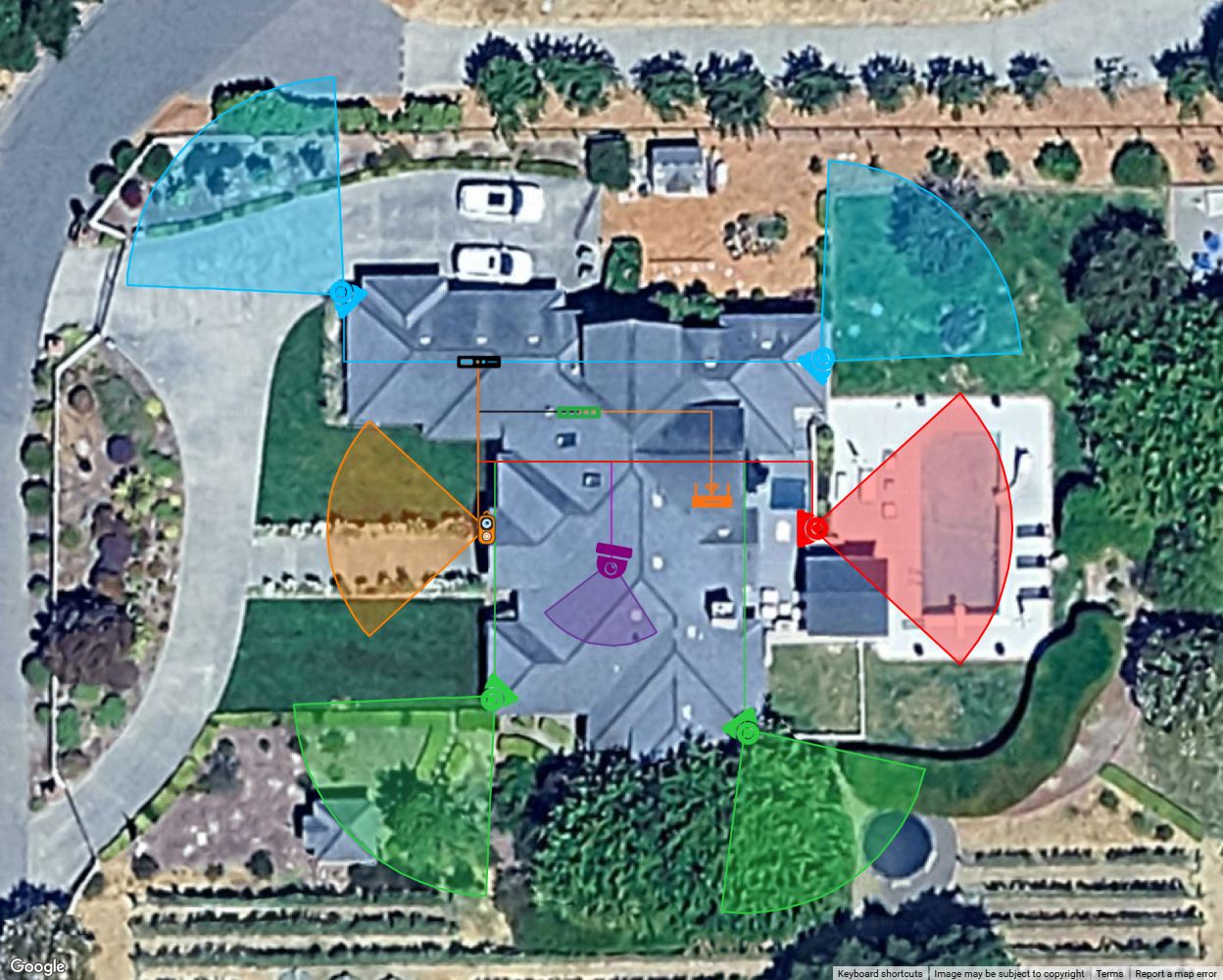
Group cameras by color, cover the entrances and connect the network. Here, cameras return to the PoE NVR and the access point connects to the PoE switch.
10-device example · Cyan front pair, green south pair, red pool camera, purple indoor camera and orange doorbell. Proposed interior locations. Cable bends are editable; verify proposed routes on site.
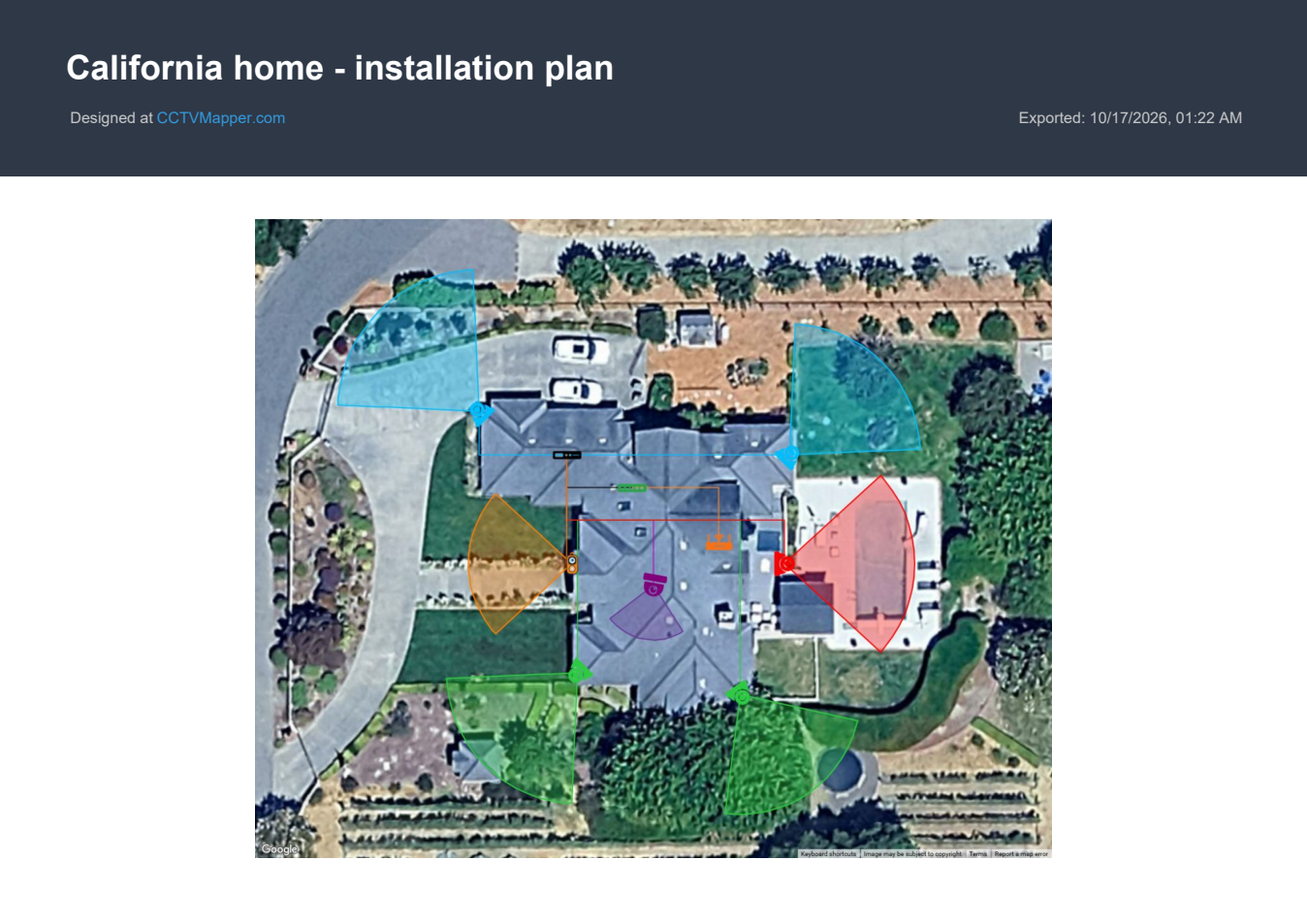
Share the proposed layout with your client, then hand over a map PDF, printed plan, or equipment and cable schedule.
PDF exports are available to signed-in members.
ONE CONNECTED LAYOUT
Plan cameras, smart doorbells, recorders, PoE switches, access points, computers and Blue Iris PCs together. Plan your own upgrade or present an installation layout to your client.
Plan a security camera system →DETAIL THAT TRAVELS WITH YOU
Keep notes, compare viewing angles and estimate connections. Use an image overlay on a paid plan, then document the final design.
See how export works →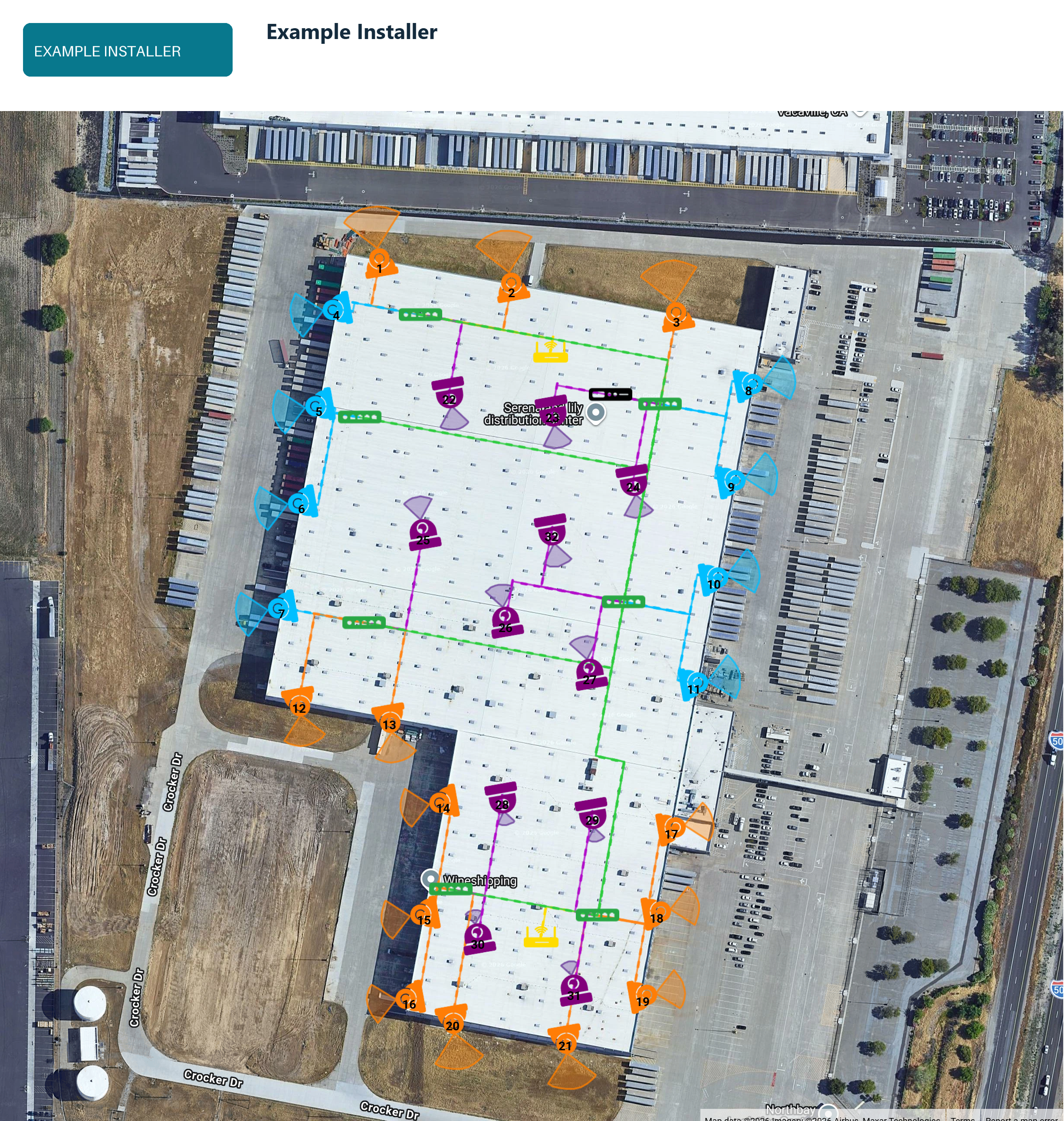
BUILT FOR DESIGNERS & INSTALLERS
Give your client a clear picture of the system you propose, before the first cable is run.
Show camera coverage, color-code device groups and trace cable routes. Then share the design with your client and the crew installing it.
Add your logo, name, address, phone and website to shared maps and PDF, PNG or JPG exports. Company branding is included with Diamond and Unlimited.
A CLEARER START
YOUR NEXT INSTALLATION STARTS HERE
Try a layout in the Mapper, then create your account to save it and keep building.
Search the address and identify the areas to cover.
Place devices, aim cameras and route the connections.
Save your design and share it with your client or installer.